
This is a quick setup of a goldenGate HUB in Docker with an Extract from a 12.2 Oracle database and a Replicat to a 19.1 Oracle Database. The assumption is that you already have 1 or 2 databases that you can use for source and target and you have a GoldenGate HUB installed and configured. I have another post here that explains how to create a quick Docker image for GoldenGate.

The first step is to set up the source database and user credentials in the source and target database. The expectation is that you have sysdba privileges in both databases and basic DBA skills to create the users and make the database changes. If not, ask for your DBA to help.
--## WEST DATABASE SETUP
--# AS CDB LEVEL
set echo on
set feedback on
alter system set enable_goldengate_replication=TRUE scope=both;
alter database force logging;
alter database add supplemental log data;
alter system set streams_pool_size=2G scope=spfile;
archive log list;
create tablespace GG_DATA  datafile '+DATA' size 100m autoextend on next 100m;
alter session set container=WEST;
create tablespace GG_DATA  datafile '+DATA' size 100m autoextend on next 100m;
alter session set container=cdb$root;

--# CDB Extract USER
create user c##ggadmin identified by VtzfBJ5xkum5dS2 container=all default tablespace GG_DATA temporary tablespace temp;
grant create session to c##ggadmin container=all;
grant alter any table to c##ggadmin container=all;
grant resource to c##ggadmin container=all;
grant connect to c##ggadmin container=all;
grant alter system to c##ggadmin container=all;
grant dba to c##ggadmin container=all;
grant dv_goldengate_admin, dv_goldengate_redo_access to c##ggadmin container=all;
exec dbms_goldengate_auth.grant_admin_privilege('c##ggadmin',container=>'all');


--## EAST DATABASE SETUP
--# AS CDB LEVEL
--
set echo on
set feedback on
alter system set enable_goldengate_replication=TRUE scope=both;
alter database force logging;
alter database add supplemental log data;
alter system set streams_pool_size=2G scope=spfile;
archive log list;
create tablespace GG_DATA  datafile '+DATA' size 100m autoextend on next 100m;
alter session set container=EAST;
create tablespace GG_DATA  datafile '+DATA' size 100m autoextend on next 100m;
alter session set container=cdb$root;

-- PDB Replicat USER
alter session set container=EAST;
create user ggadmin identified by nnzXG48uK9AxfgW container=current default tablespace GG_DATA temporary tablespace temp;
grant create session to ggadmin container=current;
grant alter any table to ggadmin container=current;
grant resource to ggadmin container=current;
grant connect to ggadmin container=current;
grant alter system to ggadmin container=current;
grant dba to ggadmin container=current;
grant dv_goldengate_admin, dv_goldengate_redo_access to ggadmin container=current;
exec dbms_goldengate_auth.grant_admin_privilege('ggadmin');
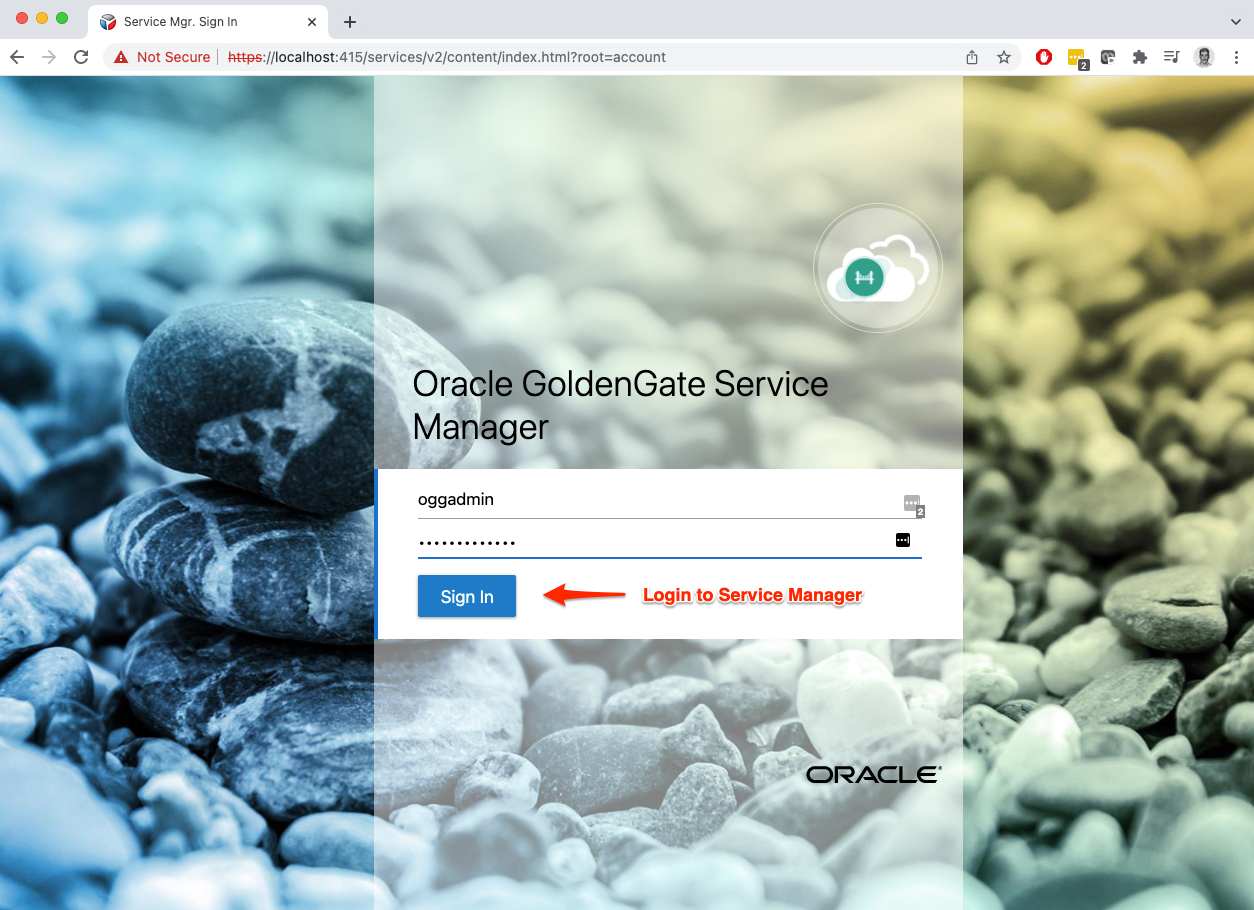
Next, you will login and go through the screens as the examples below:
Welcome to Service Manager Main Page
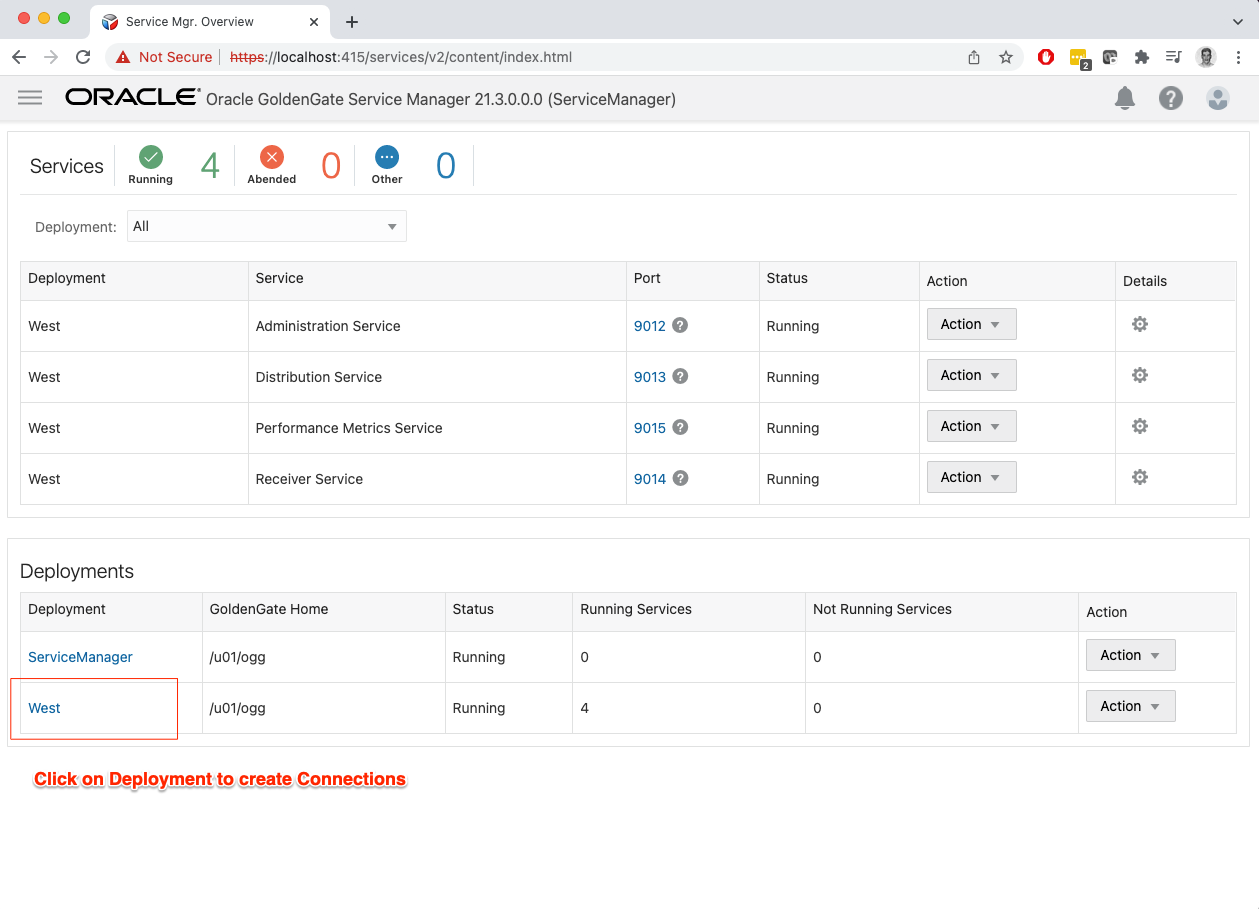
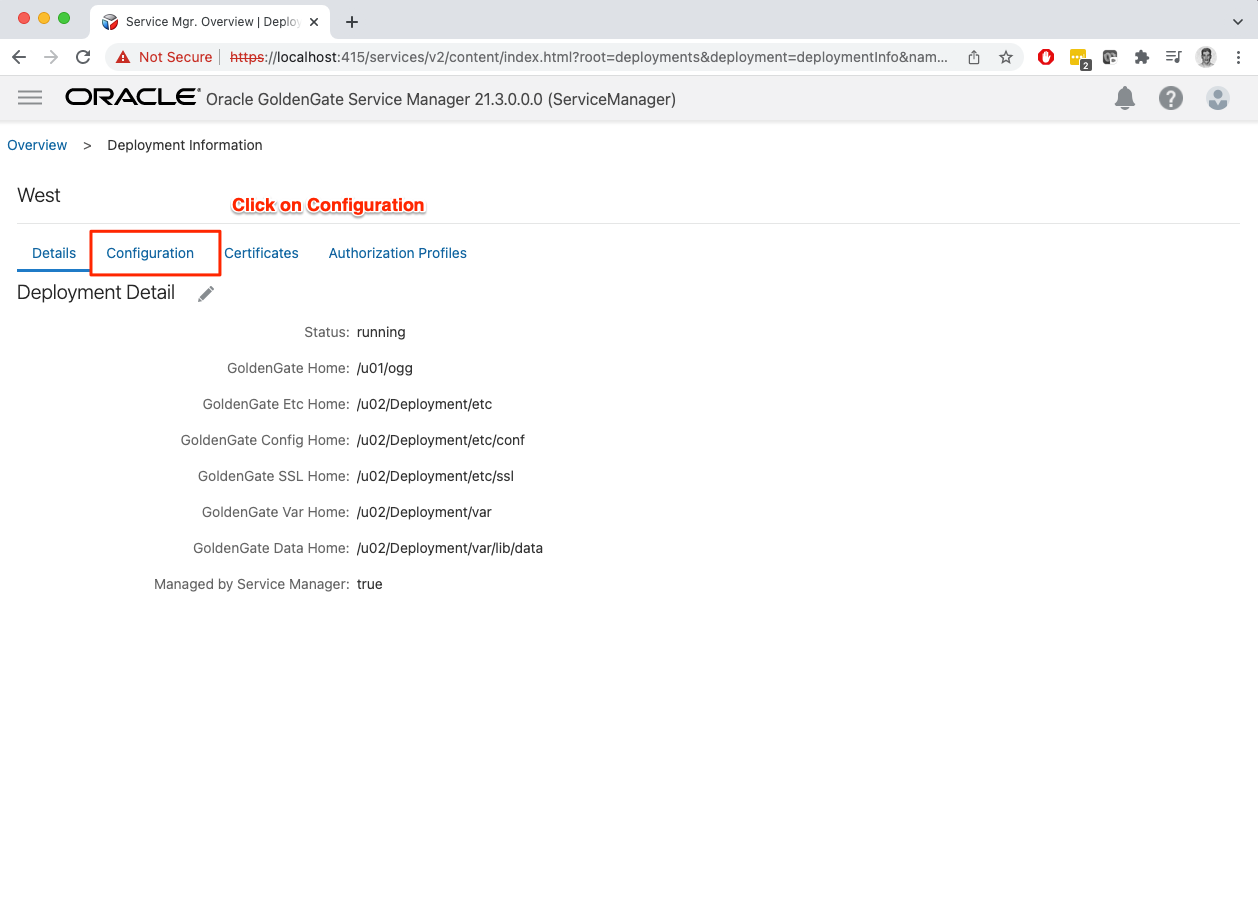
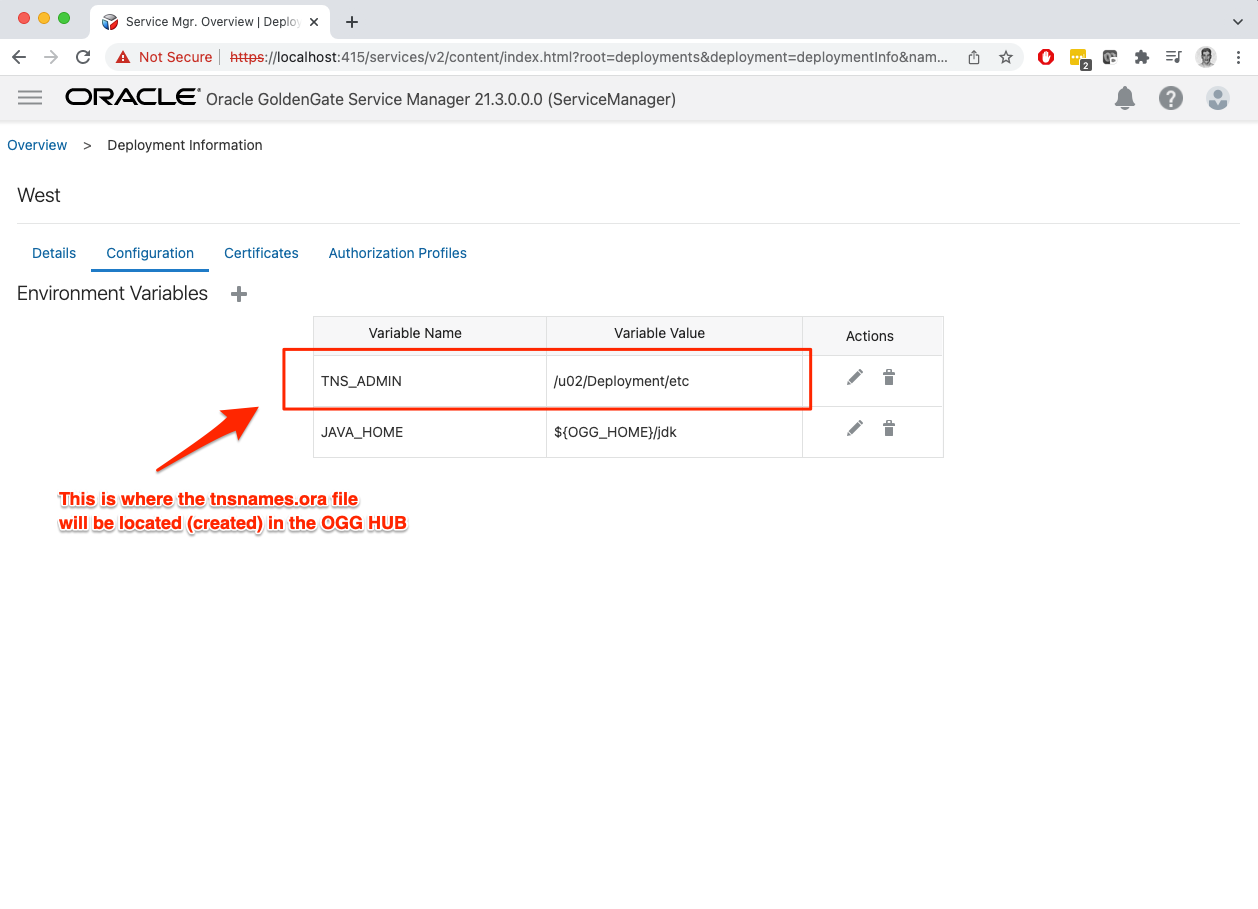
Let’s take a look where do we store the tnsnames.ora file and where we can find that information in the WebUI portal. After you selected the Deployment in the Main Page you will land in the Details Page.
TNS_ADMIN variable will point where the tnsnames.ora file need to be created. This variable can be modified.
Back in the Maine Page at Service Manager, let’s start configuring the replication.
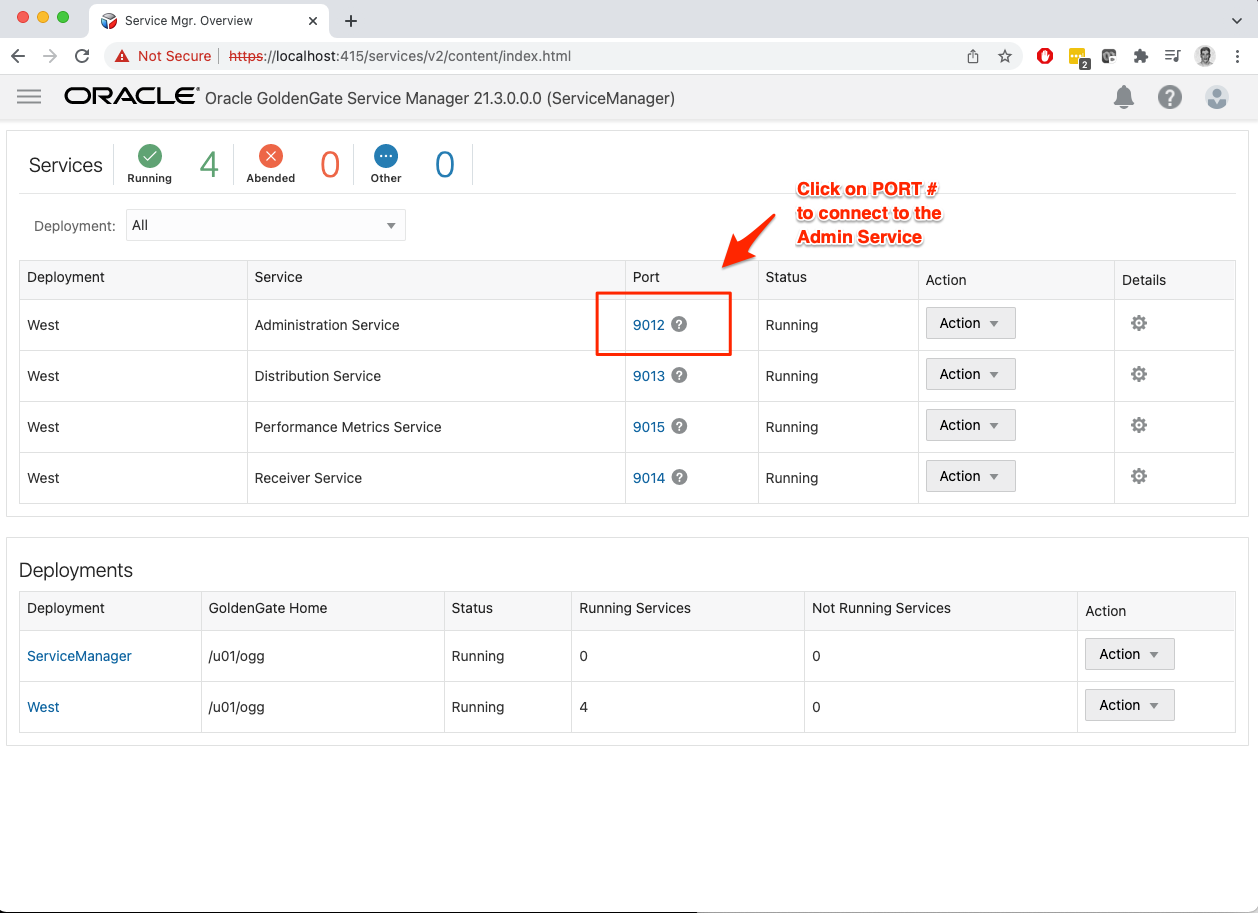
Another login is required in the Admin Service

Main Page in the Admin Service, let’s create the connection to both source and target databases.

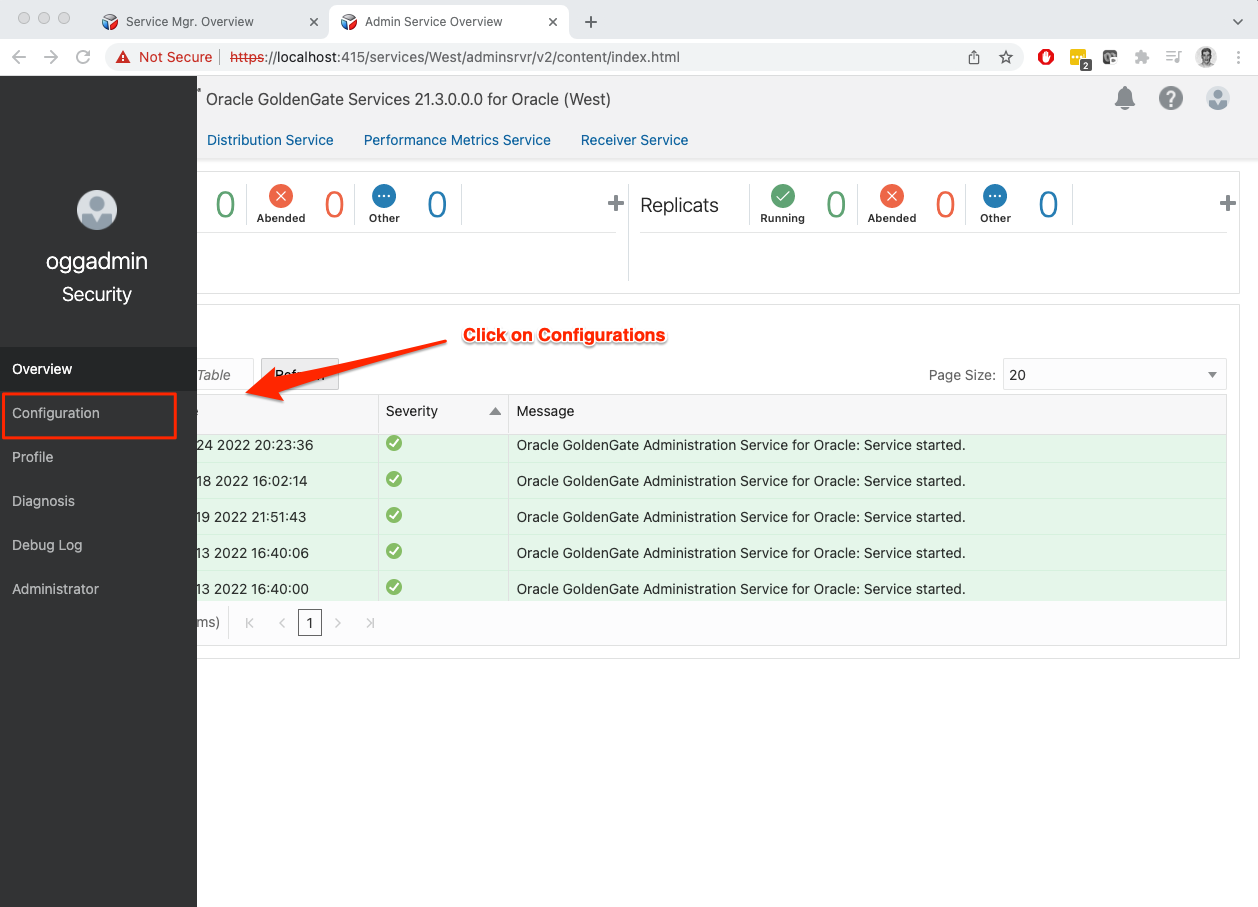
Add the following example Entry names to the tnsnames.ora file in the location displayed above. Adjust for your Host and Service Name

Now, let’s create the OGG credentials to the database. Source database first.
You can also use EZconnect here:
Credential Alias: srccdb122
User ID: c##ggadmin@<hostname>:1521/<cdb_service>
Make sure you are connecting to the CDB
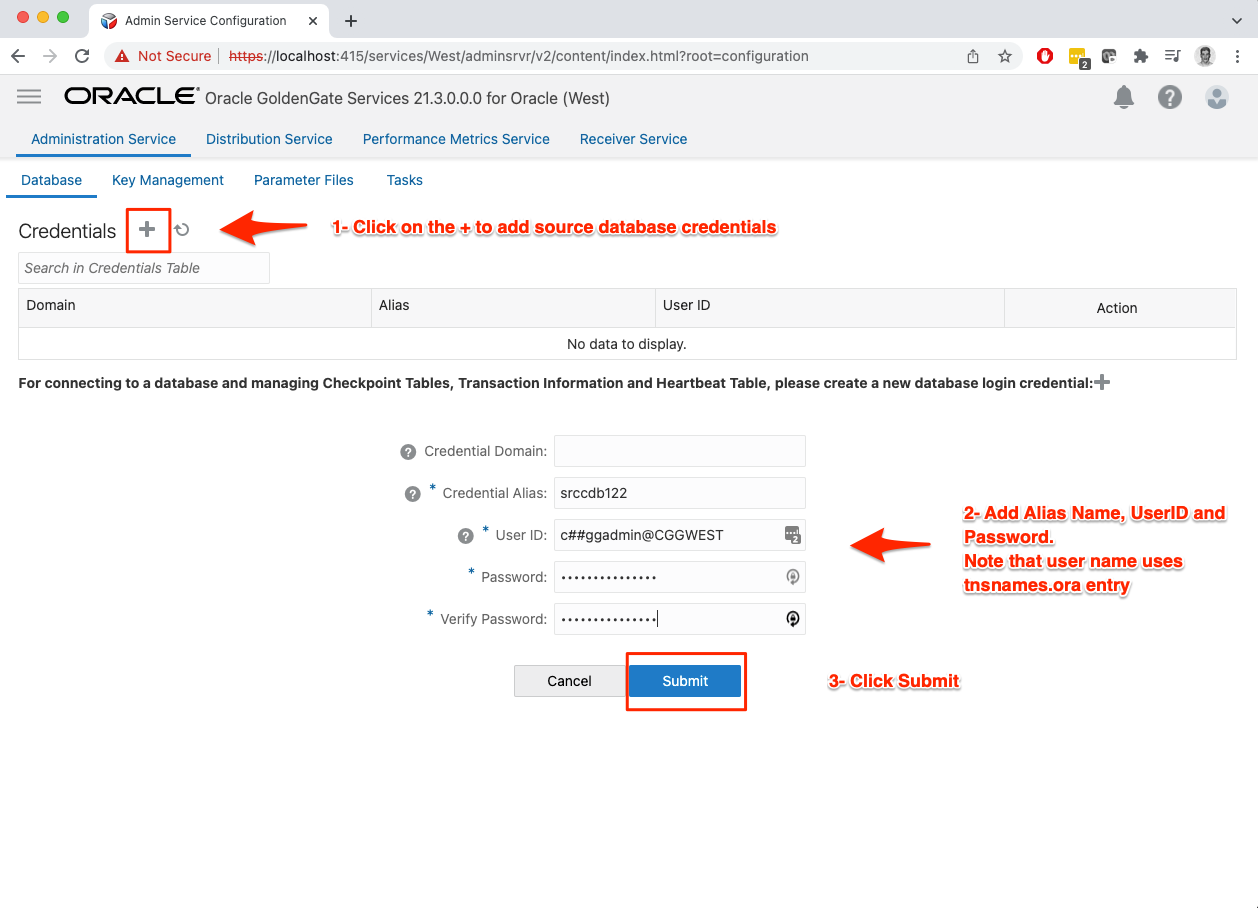
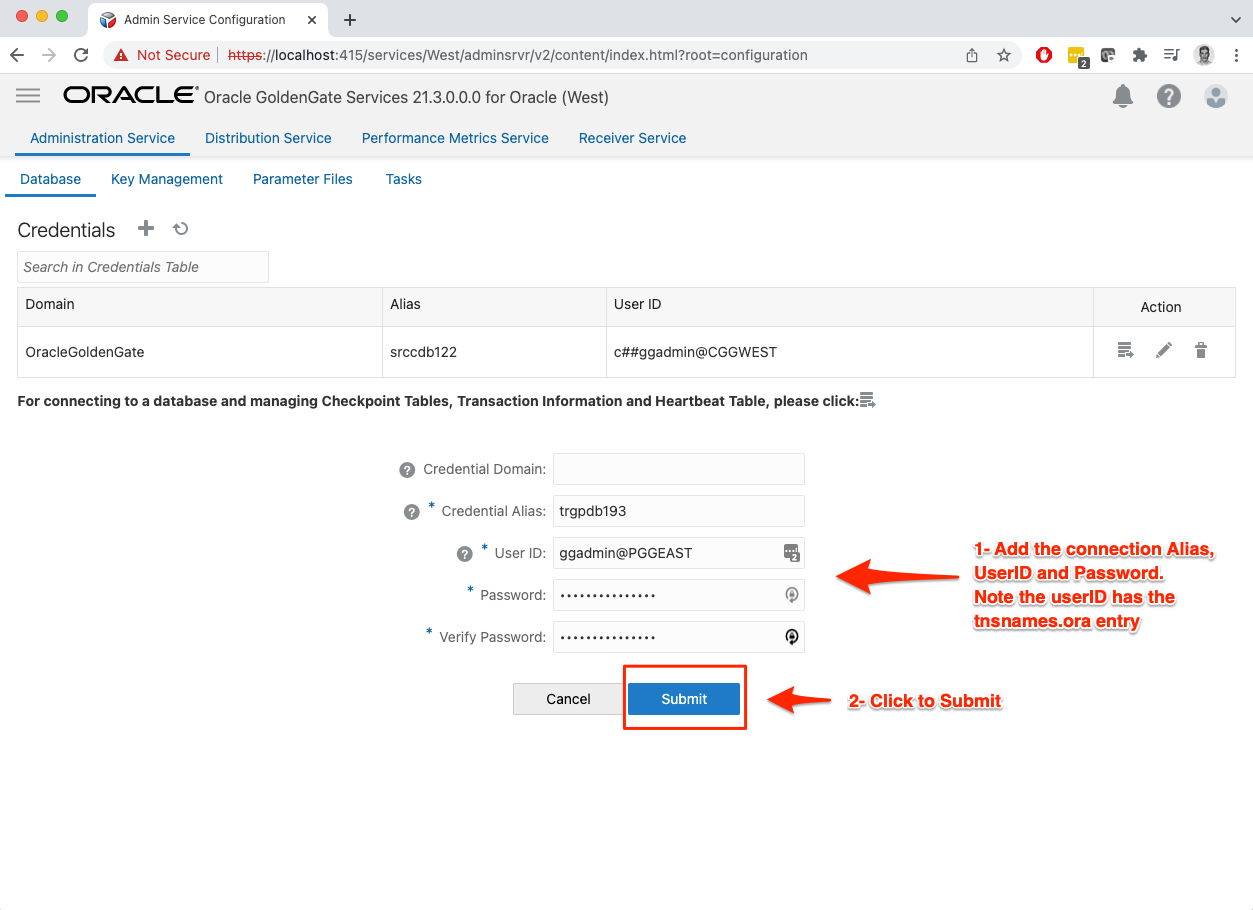
Next is the Target database connection

You can also use EZconnect here:
Credential Alias: trgpdb193
User ID: ggadmin@<hostname>:1521/<pdb_service>
Make sure you are connecting to the PDB
Let’s add schematrandata to the source. This is the process we ask the Oracle Database to log everything we will need to capture the transaction for replication.

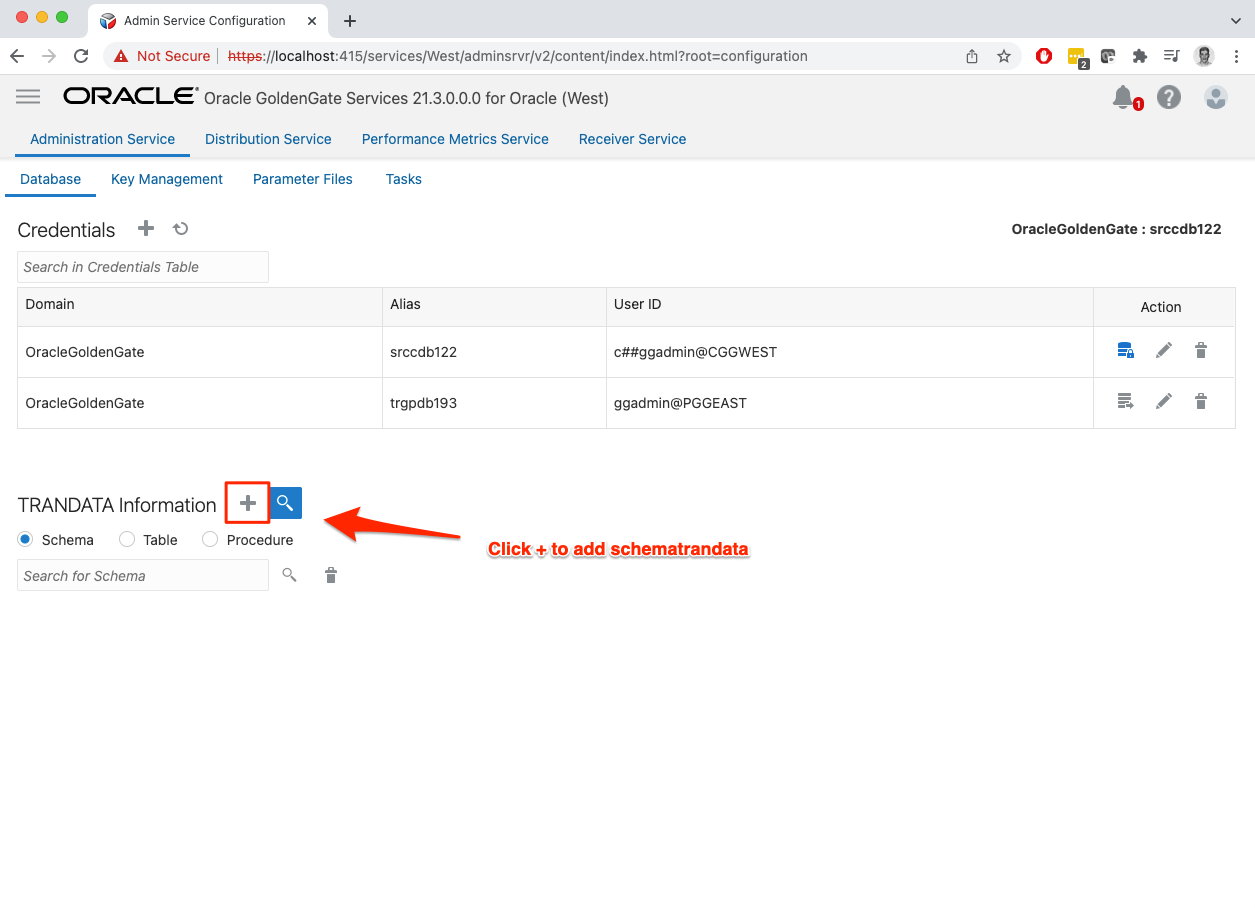
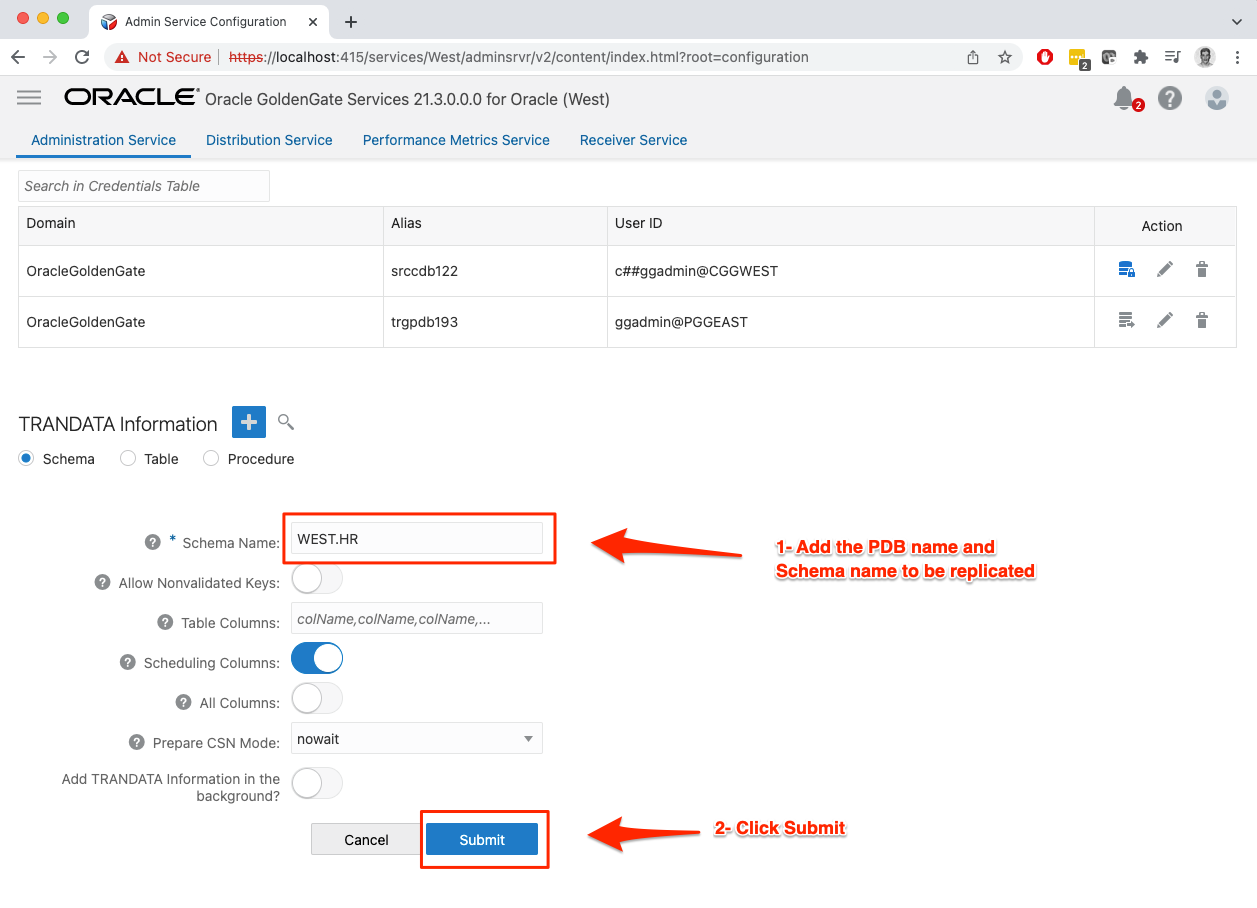
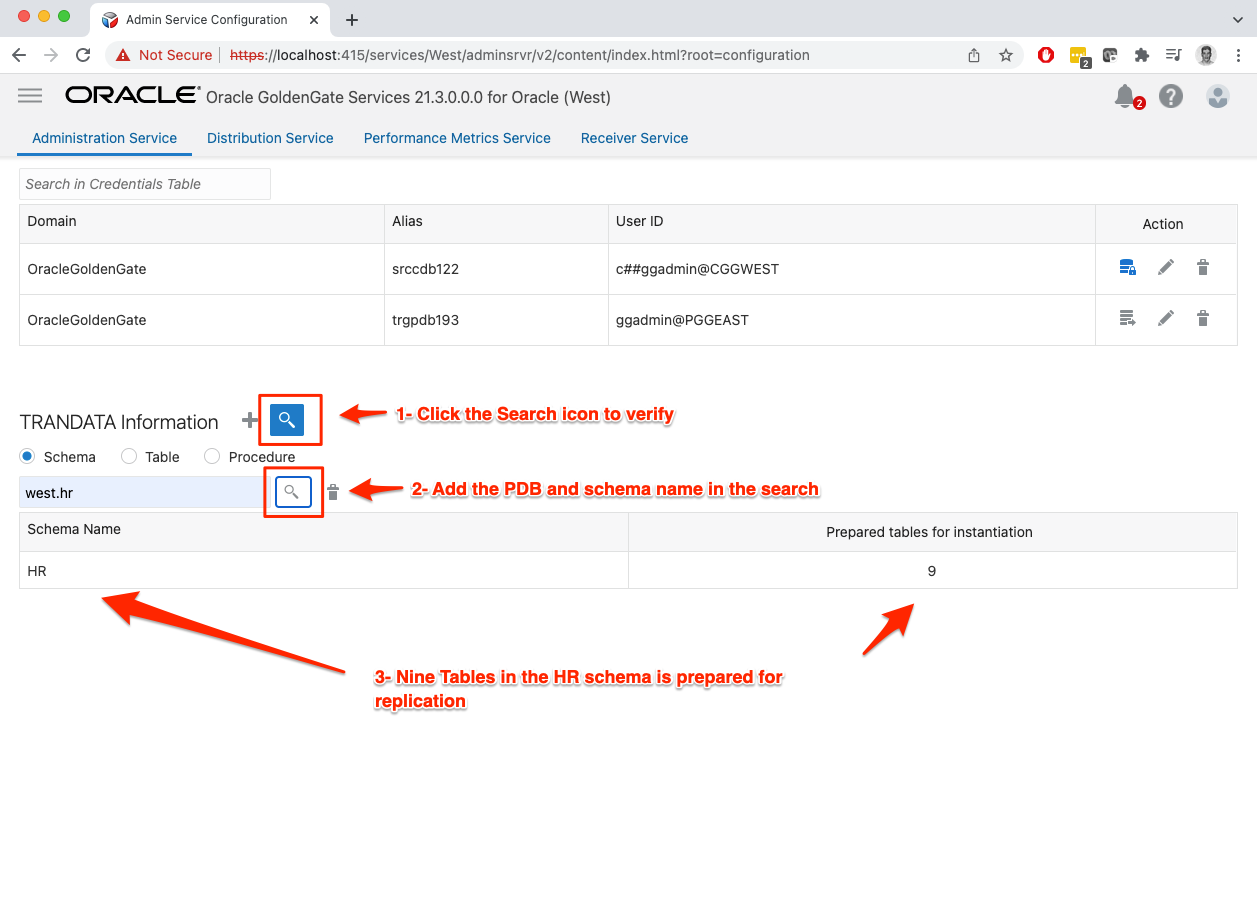
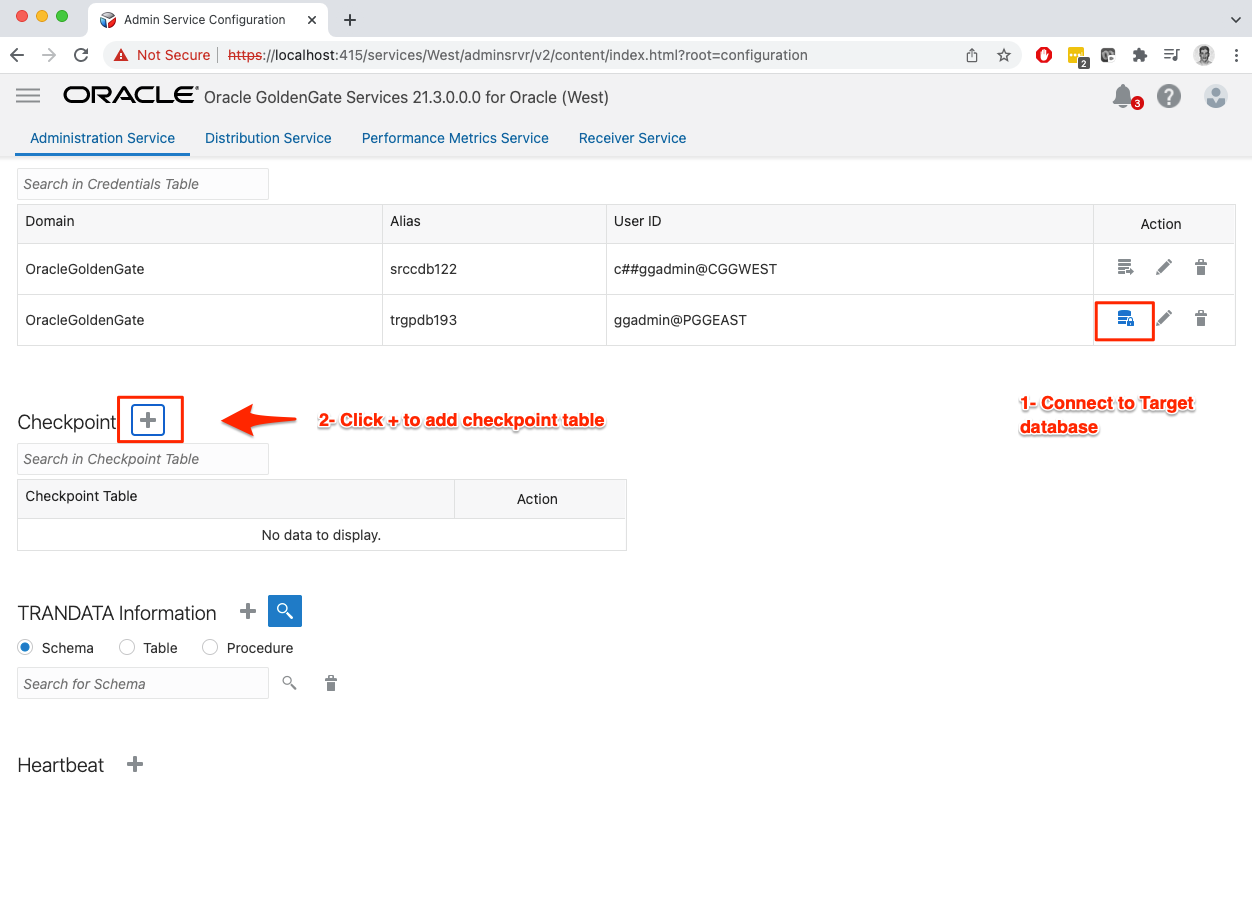
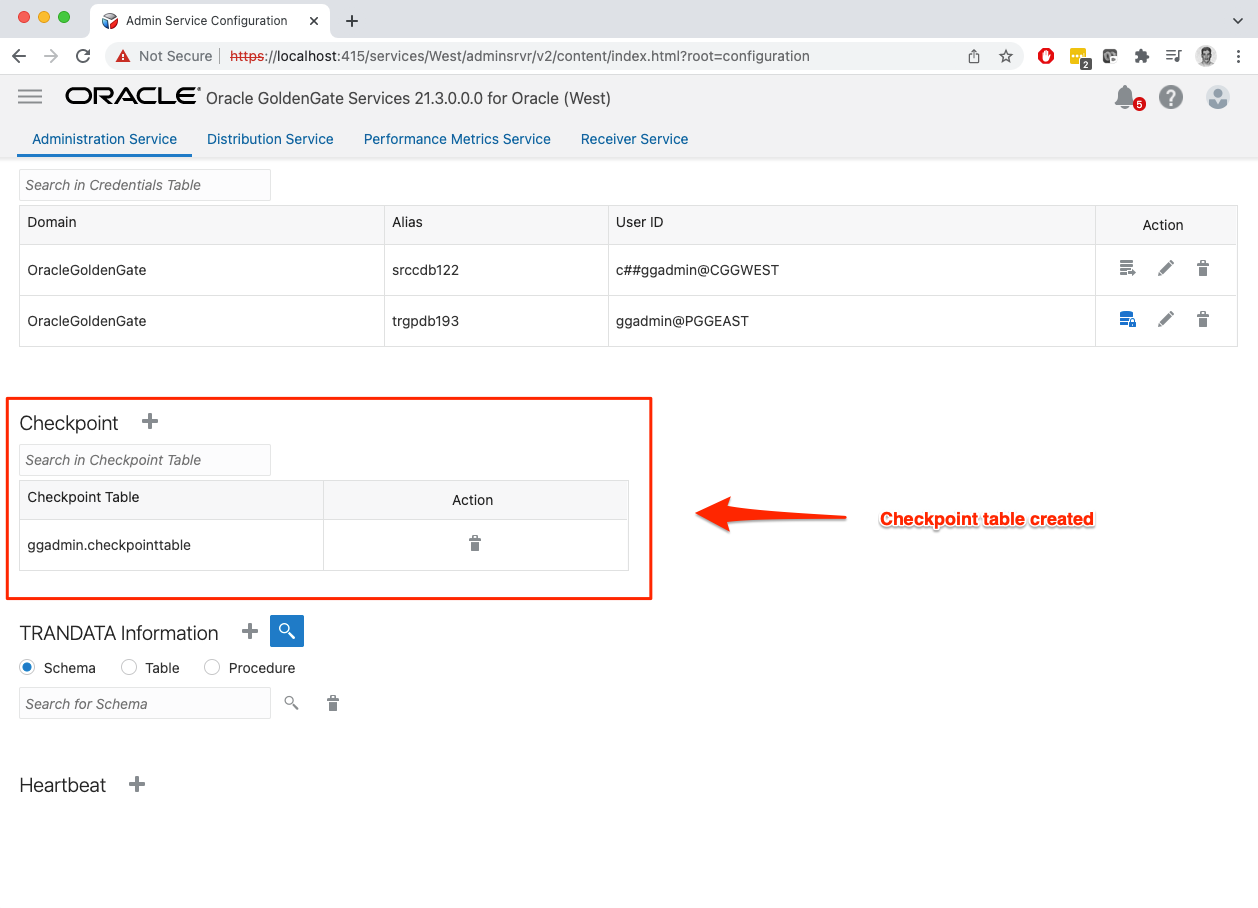
Now let’s create the checkpoint table in the target database. Checkpoint is the process GoldenGate uses to keep track which transaction has been applied to the target database.

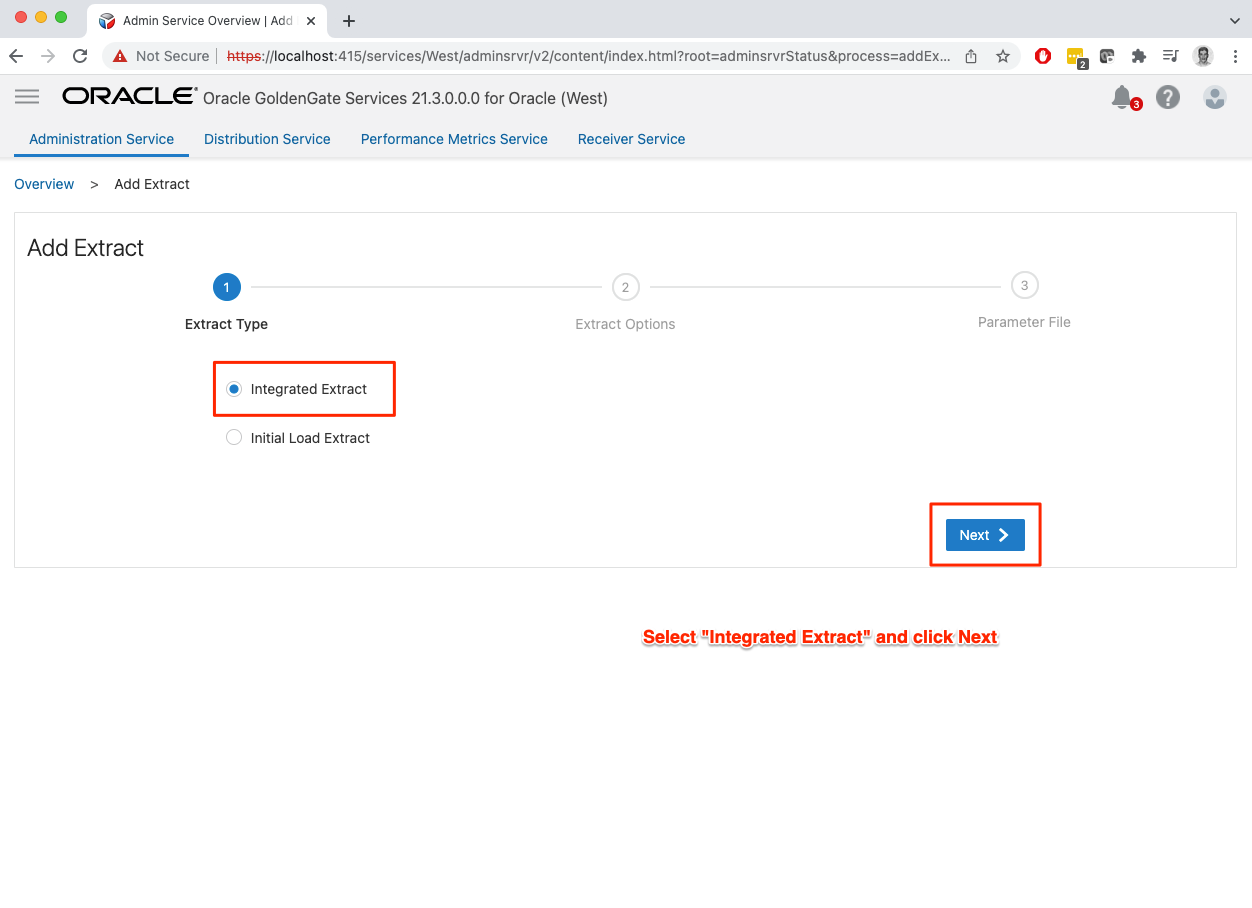
With all the database, users and minimum requirements completed, we can now create the first replication. First step is to create an ‘Extract”. Extracts are the capture process that listen to transactions in the DB and writes to the proprietary trail files.



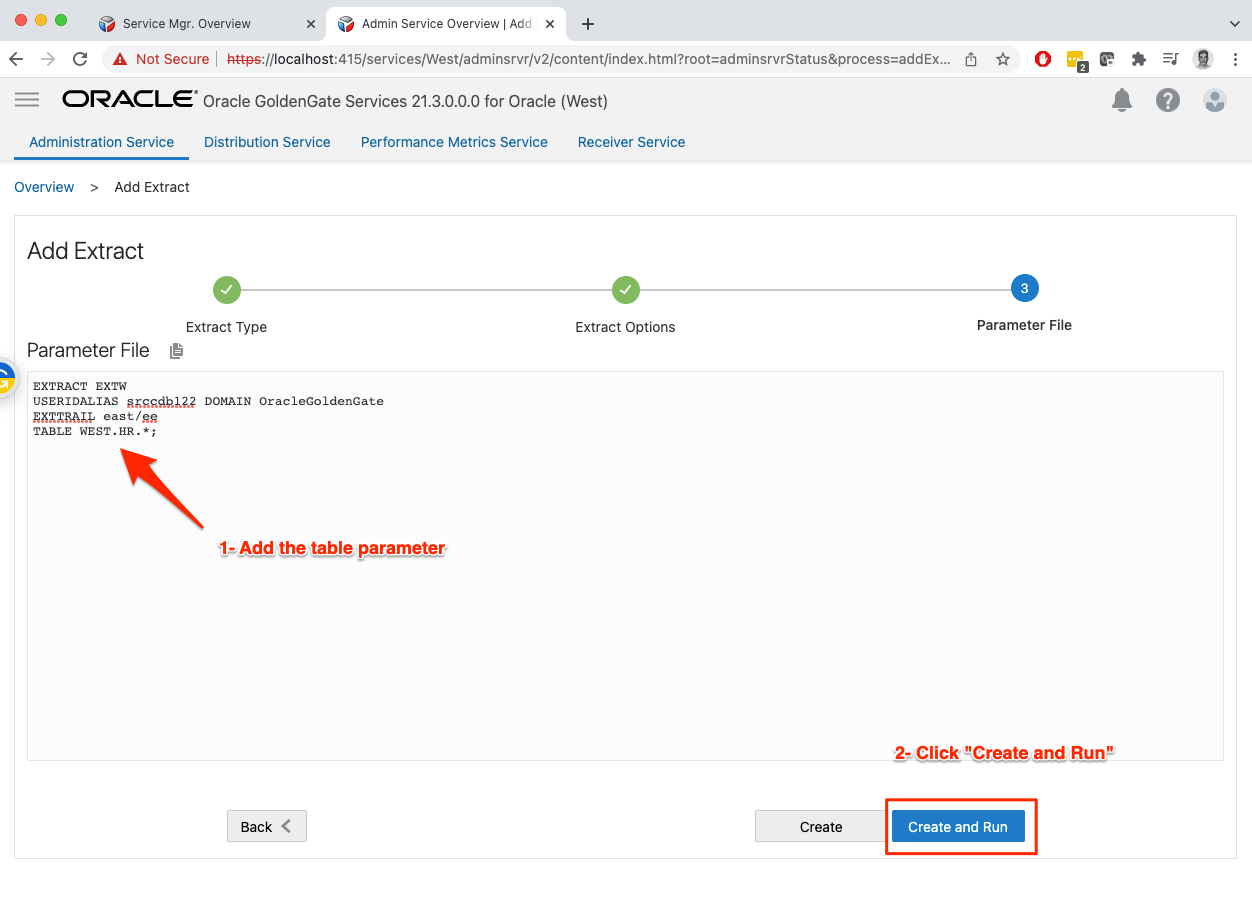
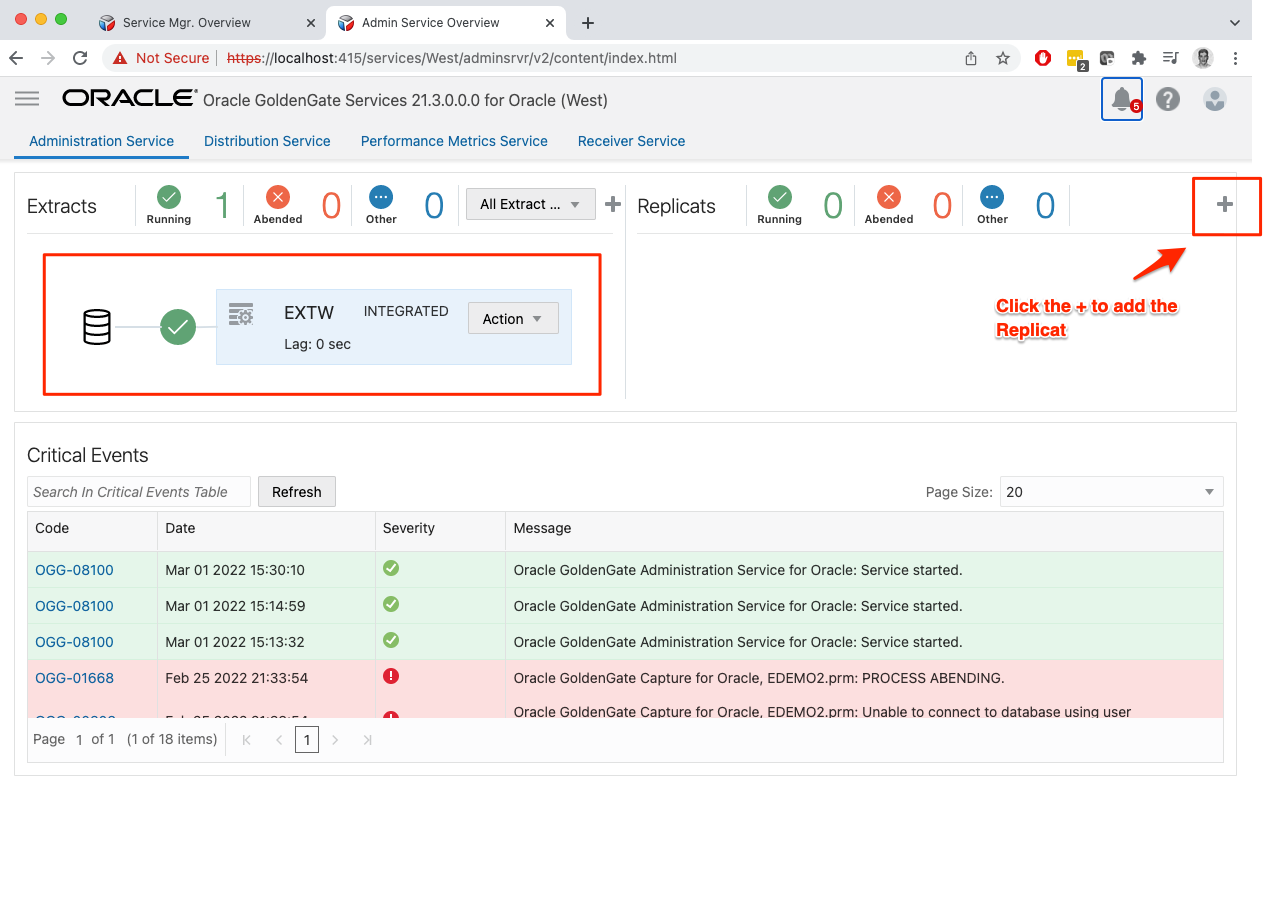
Extract is created, now let’s create the replicat. Replicat is the delivery process that reads from the extract trail file created in the step above and applies to the target database.
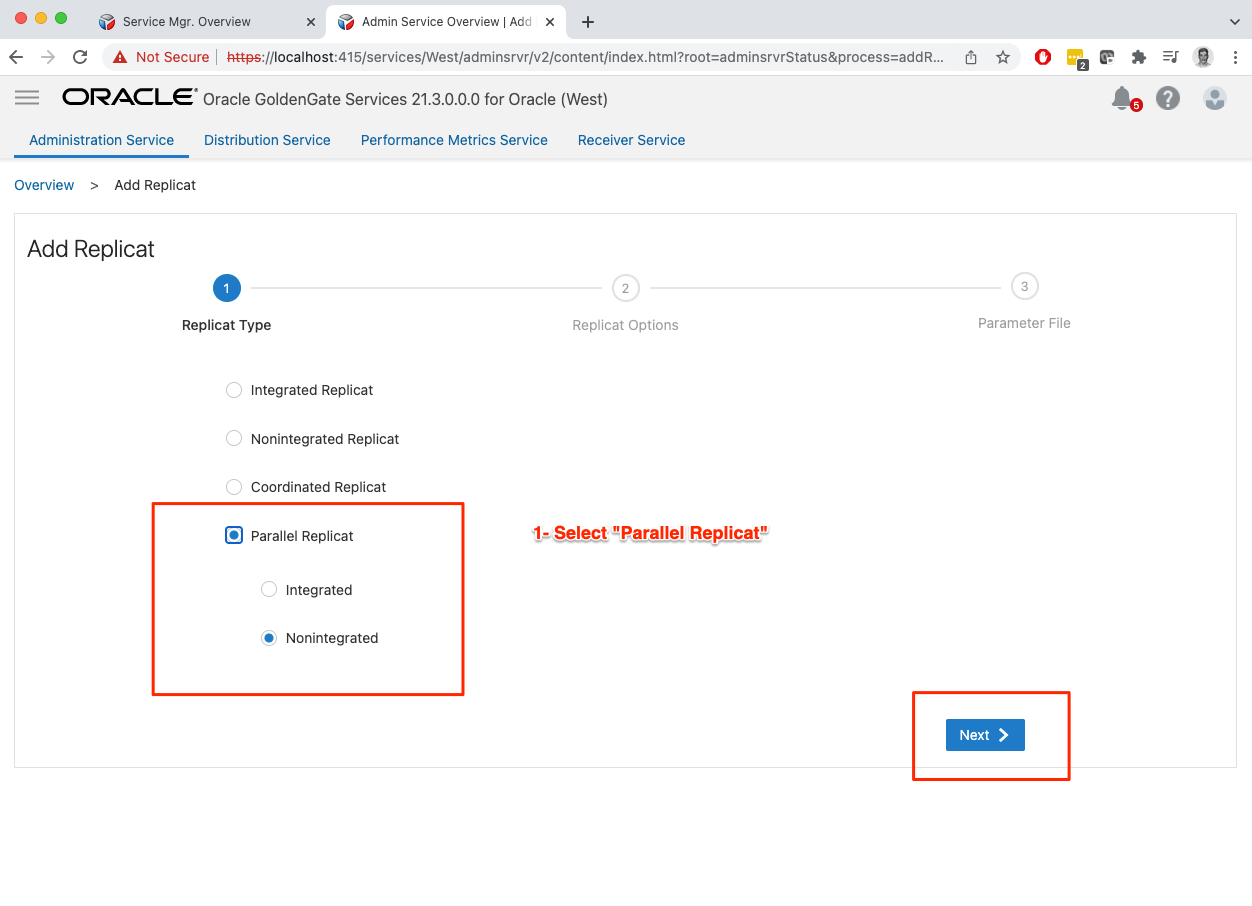

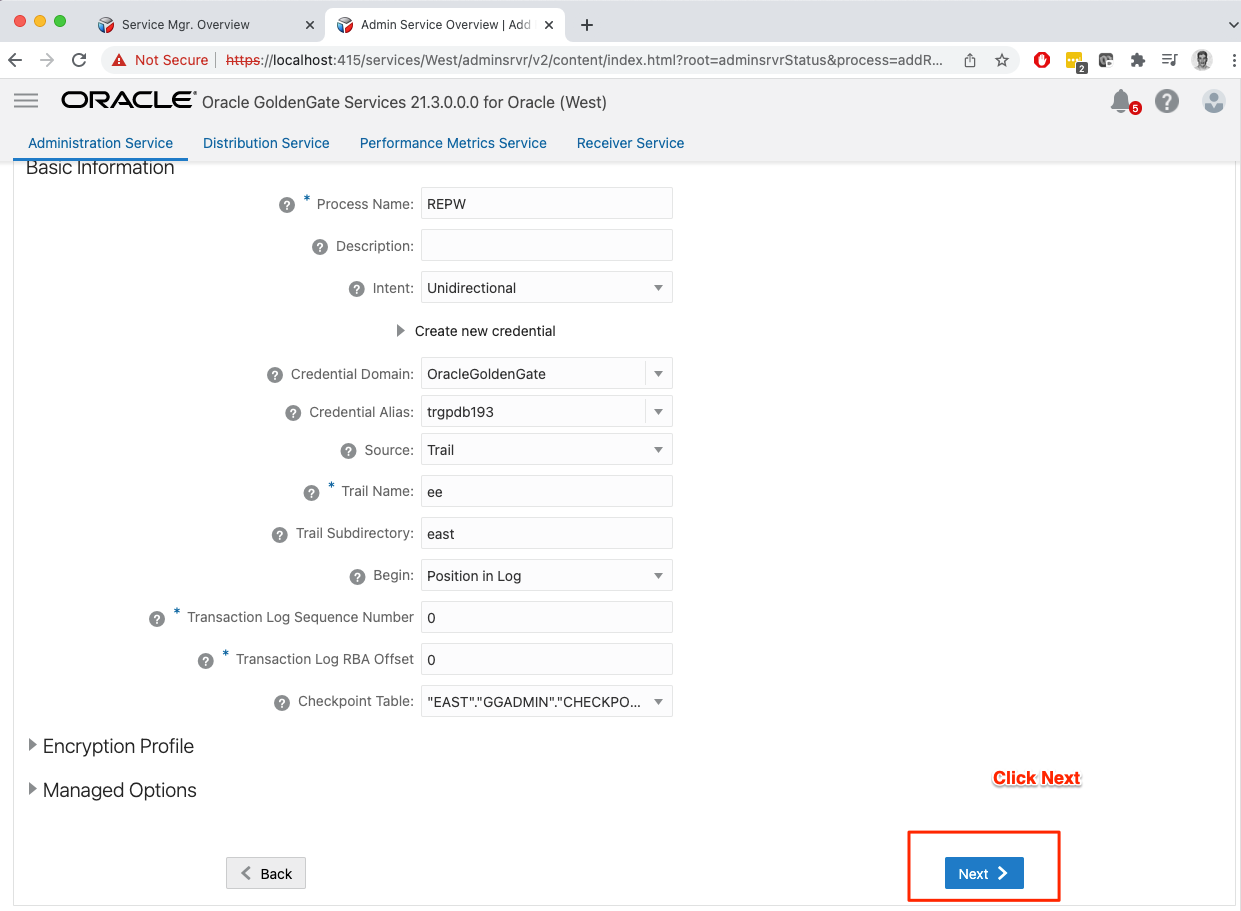

Quick check in the extract statistics to see if it captured the DML test.
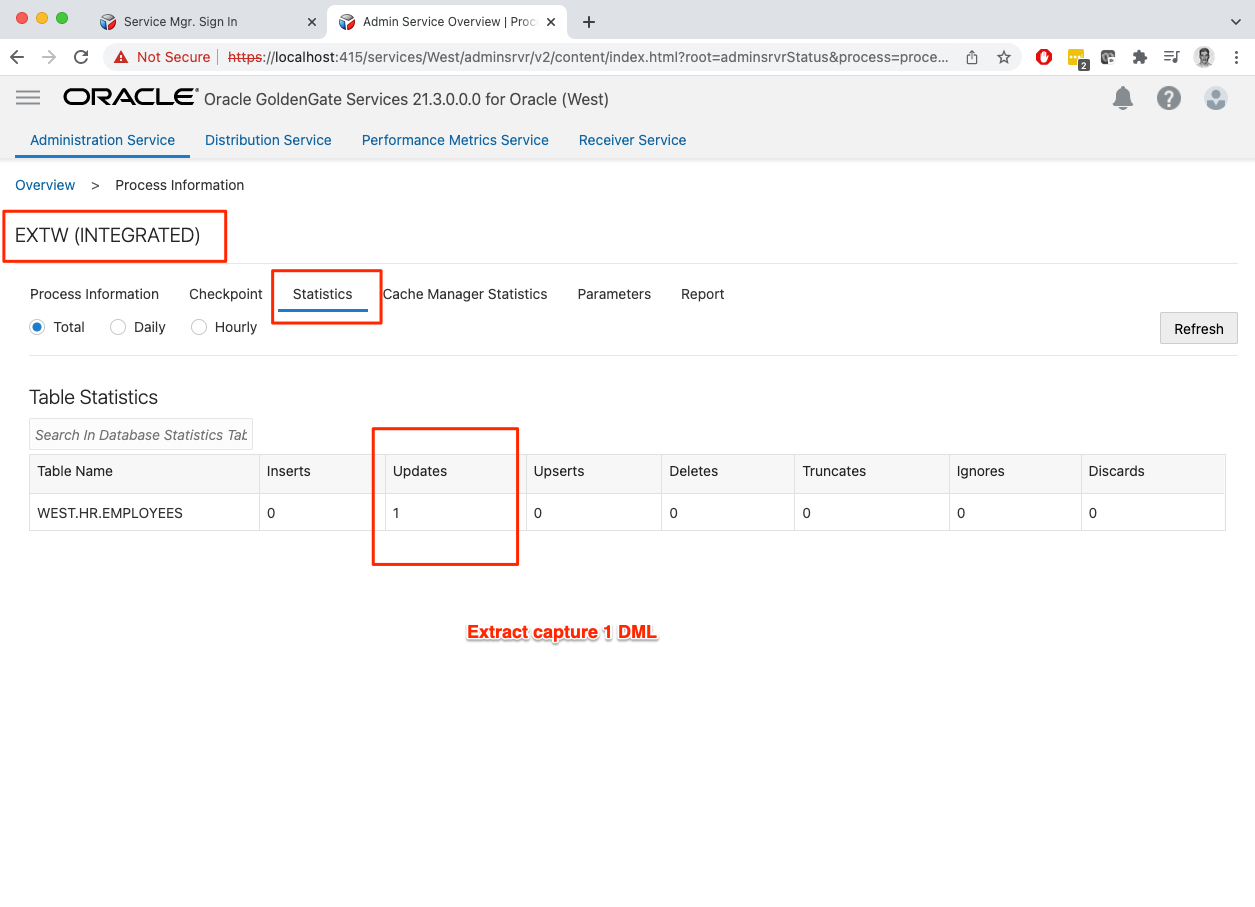
Replication is now in place. Since this is a HUB configuration you can see both the Extract and Replicat in the Admin Service page.

That’s it. Hope this was fun and you can now explore all other features in GoldenGate. If you run into any issue or found something i need to fix, please reach out.


 Alex Lima
Leave a comment