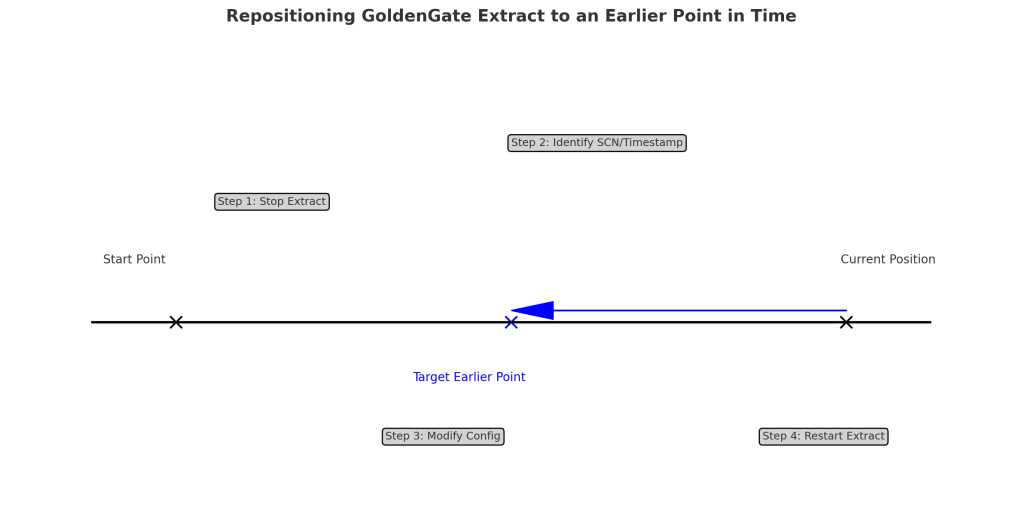
Sometimes, we need to move your Oracle GoldenGate (OGG) Extract process back in time to capture changes from an earlier period. This might be necessary for data recovery, auditing, or re-synchronizing a target database. However, repositioning Integrated Extract requires a crucial element: a valid dictionary build.
What is a Dictionary Build?
Think of a dictionary built as a snapshot of your database structure at a specific point in time. It contains essential metadata about your tables, columns, and other objects. Extract uses this information to interpret the changes recorded in the database redo logs.
Why is it Necessary for Repositioning?
When you move Extract back in time, it needs a dictionary built from before the desired position. This ensures that Extract can understand the structure of the database as it existed at that earlier point and correctly interpret the changes it encounters.
How to Reposition Extract
Locate a Dictionary Build:
Use the following query to find existing dictionary builds in your archived logs:
SELECT first_change#
FROM v$archived_log
WHERE dictionary_begin = 'YES'
  AND standby_dest = 'NO'
  AND name IS NOT NULL
  AND status = 'A';

Build information can also be found in the alert.log
Position the Extract:
The easiest way is to position Extract at the same SCN (System Change Number) as the dictionary build you found.
Position the Replicat:
You can then use the START REPLICAT ATSCN / AFTERSCN command to position the replicat and skip any unnecessary data.
Important Considerations
- Regular Dictionary Builds: Schedule regular database jobs to create dictionary builds. This makes it easier to reposition Extract when needed.
DBMS_CAPTURE_ADM.BUILD(first_scn OUT NUMBER);
DBMS_CAPTURE_ADM.BUILD;

SET SERVEROUTPUT ON
DECLARE
  scn  NUMBER;
BEGIN
  DBMS_CAPTURE_ADM.BUILD(first_scn => scn);
  DBMS_OUTPUT.PUT_LINE('First SCN Value = ' || scn);
END;
/- Build Frequency: Align the frequency of your builds with your database log retention policy. Perhaps set up automated scripts to check for schema changes and trigger a dictionary rebuild if necessary.
- Time Required: Creating a dictionary build can take time, as it involves writing a significant amount of metadata from tab$, col$, obj$, and a few others to redo logs.
By understanding the role of dictionary builds and following these steps, we can increase the likelihood of successfully repositioning our Oracle GoldenGate Extract process to an earlier point in time.


 Alex Lima
Leave a comment