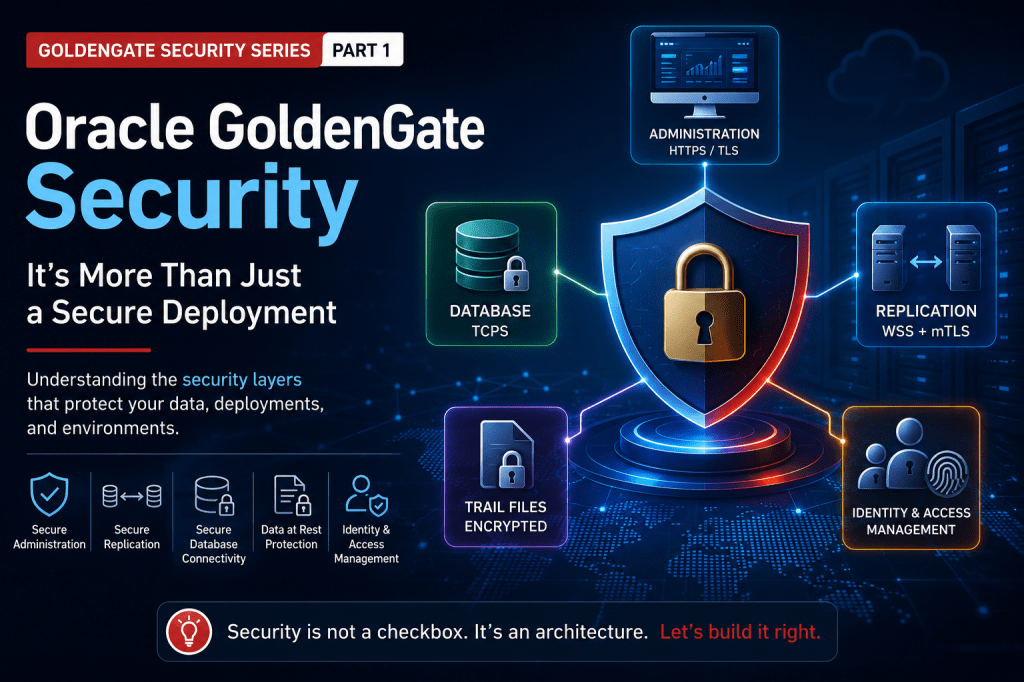
Over the years, I’ve had the opportunity to work with customers of all sizes—from small teams running a single GoldenGate deployment to large enterprises replicating data across multiple data centers and cloud providers.
No matter the size of the environment, one question comes up surprisingly often:
“If I create a Secure Deployment, is my GoldenGate environment secure?”
It’s a great question.
The short answer is yes… but only partially.
The longer answer is what inspired me to write this series.
One thing I’ve realized after countless customer conversations is that the term Secure Deployment can be a little misleading. It’s easy to think of it as the switch that “turns security on” for GoldenGate. In reality, Secure Deployment protects one very important part of the architecture—but it’s only one part.
The more I thought about it, the more I realized this isn’t really a discussion about Secure Deployments.
It’s a discussion about security architecture.
That’s exactly what I want to explore in this series.
Security Isn’t One Feature
Whenever I explain GoldenGate security to someone, I usually avoid talking about certificates first.
Instead, I ask a simple question.
What are we trying to protect?
Once you answer that, everything else starts to make sense.
In a typical GoldenGate environment, there are several different communication paths.
- An administrator logs into the Web UI.
- A script calls the REST APIs.
- AdminClient connects remotely.
- GoldenGate communicates with the database.
- Distribution Services send trail files to another deployment.
- Trail files are written to disk.
- Each one of these paths carries different types of information, has different risks, and therefore deserves its own security mechanism.
- That realization completely changes how you look at GoldenGate security.
- Instead of thinking about a single feature, you start thinking in layers.
The Way I Think About GoldenGate Security
When I’m reviewing a customer architecture, I mentally divide security into five layers.
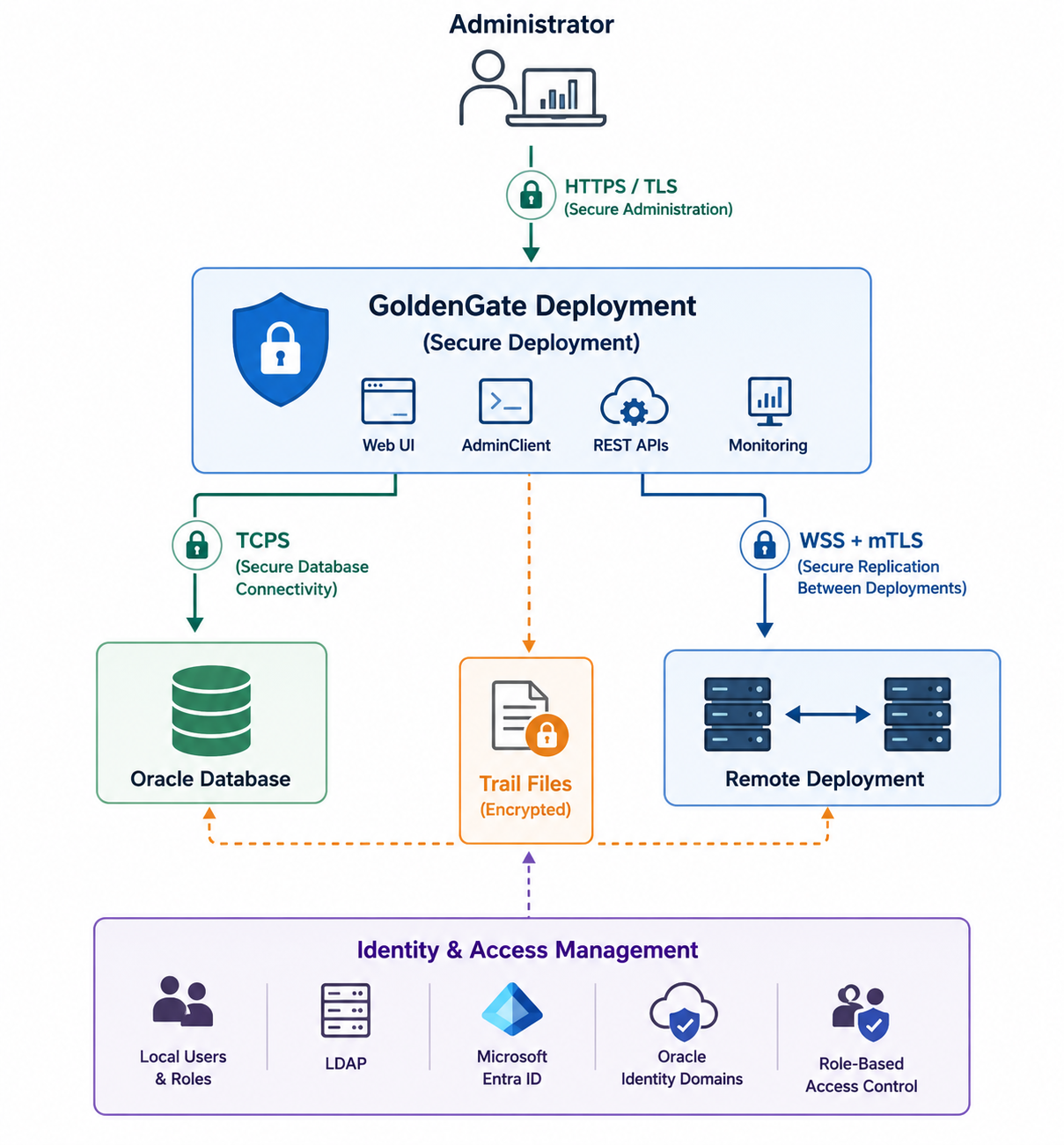
- Each layer solves a different problem.
- And perhaps more importantly…
- Each layer is configured independently.
- That’s one of the biggest misconceptions I see.
- Enabling HTTPS for your deployment doesn’t automatically encrypt your database connection.
- Encrypting your database connection doesn’t secure replication traffic.
- Securing replication traffic doesn’t encrypt trail files stored on disk.
- They’re all separate pieces of the same architecture.
Layer 1 – Protecting the Administration Interface
This is where Secure Deployment comes in.
- When someone logs into the GoldenGate Web UI, uses AdminClient, or calls the REST APIs, they’re interacting with the administration layer.
- This communication should absolutely be encrypted.
- Secure Deployments provide that protection using HTTPS and TLS.
- Passwords, administrative commands, monitoring information, configuration changes, and REST API requests are all protected while traveling across the network.
- This is usually the first security feature customers implement and for good reason.
- But it’s also where many people stop.
Layer 2 – Protecting Replication Traffic
Now imagine your source database is running in one data center and your target database is running somewhere else.
Or maybe you’re replicating from on-premises to OCI.
Or from OCI to Azure.
The trail files moving between those environments often contain sensitive business data.
That traffic deserves its own protection.
GoldenGate solves this using secure Distribution Paths with encrypted WebSocket (WSS) communication.
For organizations with stricter security requirements, Mutual TLS adds another layer of protection by allowing both deployments to verify each other’s identity before exchanging data.
I like to think of this as protecting the “highway” between GoldenGate deployments.
Layer 3 – Protecting the Database Connection
This is probably the misconception I run into most often.
A Secure Deployment does not automatically mean GoldenGate communicates securely with the Oracle Database.
Those are two completely different connections.
GoldenGate relies on Oracle Net Services for database communication.
If Oracle Net is configured with TCP, then database traffic is still unencrypted.
If it’s configured with TCPS, then the communication is encrypted using Oracle’s networking security.
Understanding that separation is incredibly important when designing secure environments.
Layer 4 – Protecting Data at Rest
Even after replication is complete, the work isn’t finished.
GoldenGate writes trail files to disk.
Depending on your retention policies, those files might remain there for hours, days, or even longer.
If someone gains access to the storage itself, network encryption no longer helps.
That’s why GoldenGate also supports trail file encryption.
It’s another independent layer designed to protect data while it’s sitting on disk rather than moving across the network.
Many compliance frameworks require organizations to think about both:
- Data in transit
- Data at rest
GoldenGate gives you options for both.
Layer 5 – Protecting Who Has Access
Security isn’t only about encryption.
It’s also about making sure the right people have access, and only the access they actually need.
GoldenGate supports local users, enterprise identity providers, LDAP integration, Microsoft Entra ID, Oracle Identity Domains, and role-based authorization.
As more organizations adopt centralized identity management, this layer becomes just as important as encrypting the traffic itself.
Why I Like This Architecture
One thing I’ve always appreciated about GoldenGate is that it doesn’t try to solve every security problem with a single feature.
Different communication paths have different requirements.
Instead of pretending one checkbox can secure everything, GoldenGate treats each layer independently.
Personally, I think that’s the right approach.
It gives organizations the flexibility to align GoldenGate with their existing security standards instead of forcing a one-size-fits-all model.
Looking Ahead
This article wasn’t meant to teach you how to configure certificates or wallets.
We’ll get to that.
My goal here was simply to change the way you think about GoldenGate security.
Instead of asking:
“Did I enable Secure Deployment?”
I hope you’ll start asking:
“Which communication path am I protecting?”
That single question usually leads to much better security discussions.
In the next article, I’ll take a closer look at Secure Deployments themselves, what they do, what they don’t do, and some of the common misconceptions I hear from customers.
I hope you’ll join me for Part 2.
And I’d love to hear from you.
How do you approach security in your GoldenGate environments?
Is there a security topic you’d like me to cover later in this series?


Leave a Reply